Bar · Friday nightSep 18 · 8:00 PM to 2:00 AM
4h × $15.00$60.00
2h × $17.00 night +$2/h$34.00
Base pay per shift$10.00
Tips$62.00
Call-out pay$25.00
This shift$191.00
Work, time and pay
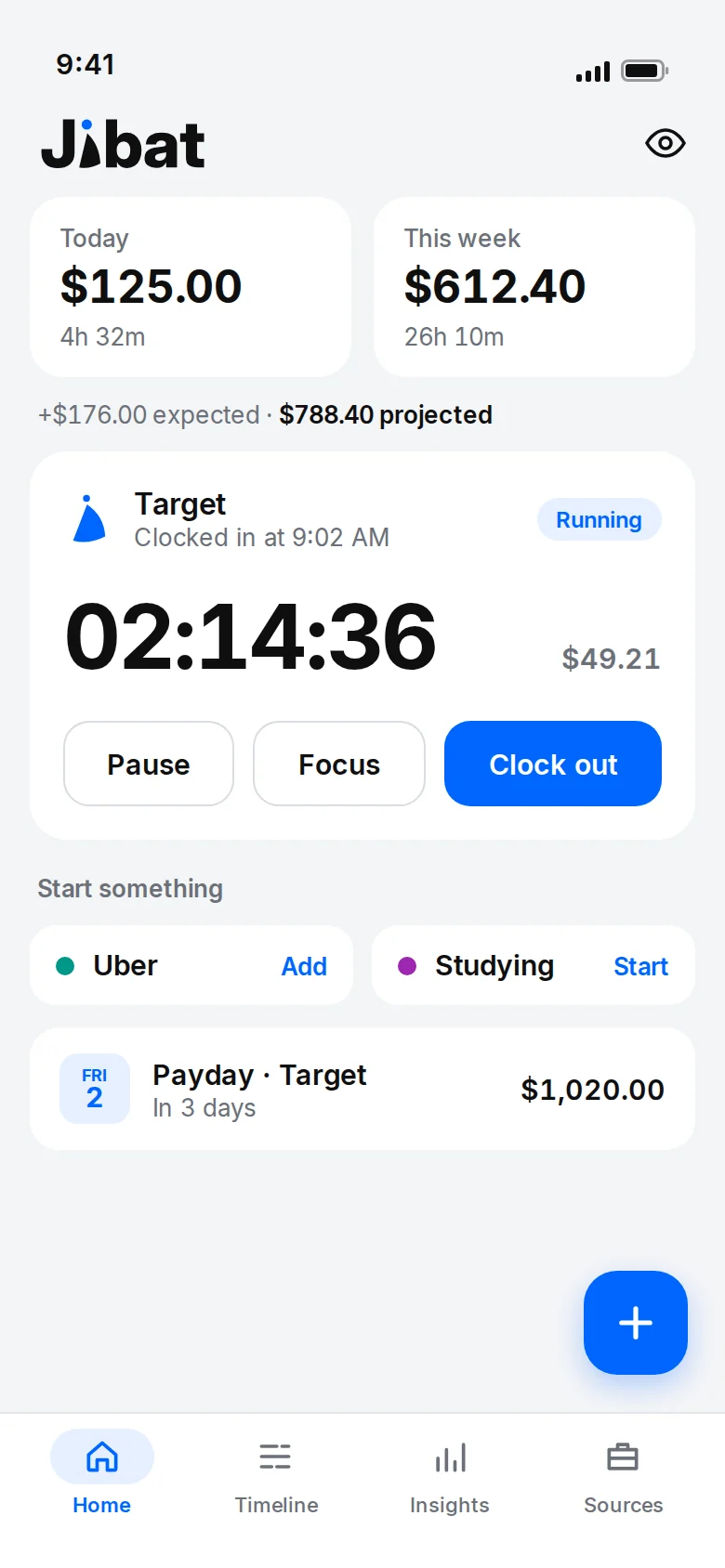
Clock in, and Jibat works out your pay the way your job actually pays it: overtime, Sunday and night rates, holiday pay, tips and bonuses. Then it tells you what should land on payday, so you can check your paycheck in seconds.


Free to use. 14 days of Pro included, no card needed.
Every shift, priced
Set up how you're paid once. After that, every shift is priced for you, to the cent, and every amount explains itself.
What it does
Clock in from the app, your lock screen, a home screen widget or your watch. Pause for breaks, run two jobs at once, and get a nudge if you forget to clock out, with a Clock out button right on it.
Target · running · 3h 12m · $70.40
Save a job's place and your phone reminds you to clock in when you get there and to clock out when you leave. A tap does it, never by itself. Optional, and your location never leaves your phone.
At Target? Tap to clock in.
Jibat on Apple Watch and Wear OS: see what's running, pause, resume, clock out, or clock in to any job. Your phone does the work, even locked in your pocket. Never an amount on the watch.
Target · 2:14:09 · Pause · Clock out
Turn on sync and your phone and tablet keep each other current, through your own iCloud on iPhone and iPad or your own Google Drive on Android. Free for everyone, and it never passes through us.
Up to date
Weekly or daily, 1.5×, 2× or your own number, double time after long days. Free for everyone.
After 40 h/week at 1.5×
Rules that apply by themselves: a Sunday premium, a night differential, 2× on holidays. They stack on overtime the way payroll does.
Sun 1.25× in overtime = 1.75×
Add tips, a bonus, commission, call-out or hazard pay to any shift. Paid for 10 hours but worked 7? Say so once.
Worked 7h · paid 10h
Add your usual shifts, like 9 to 5 on weekdays or 3 to 6 AM on weekends. See what this week and month should pay, and get a reminder before each shift.
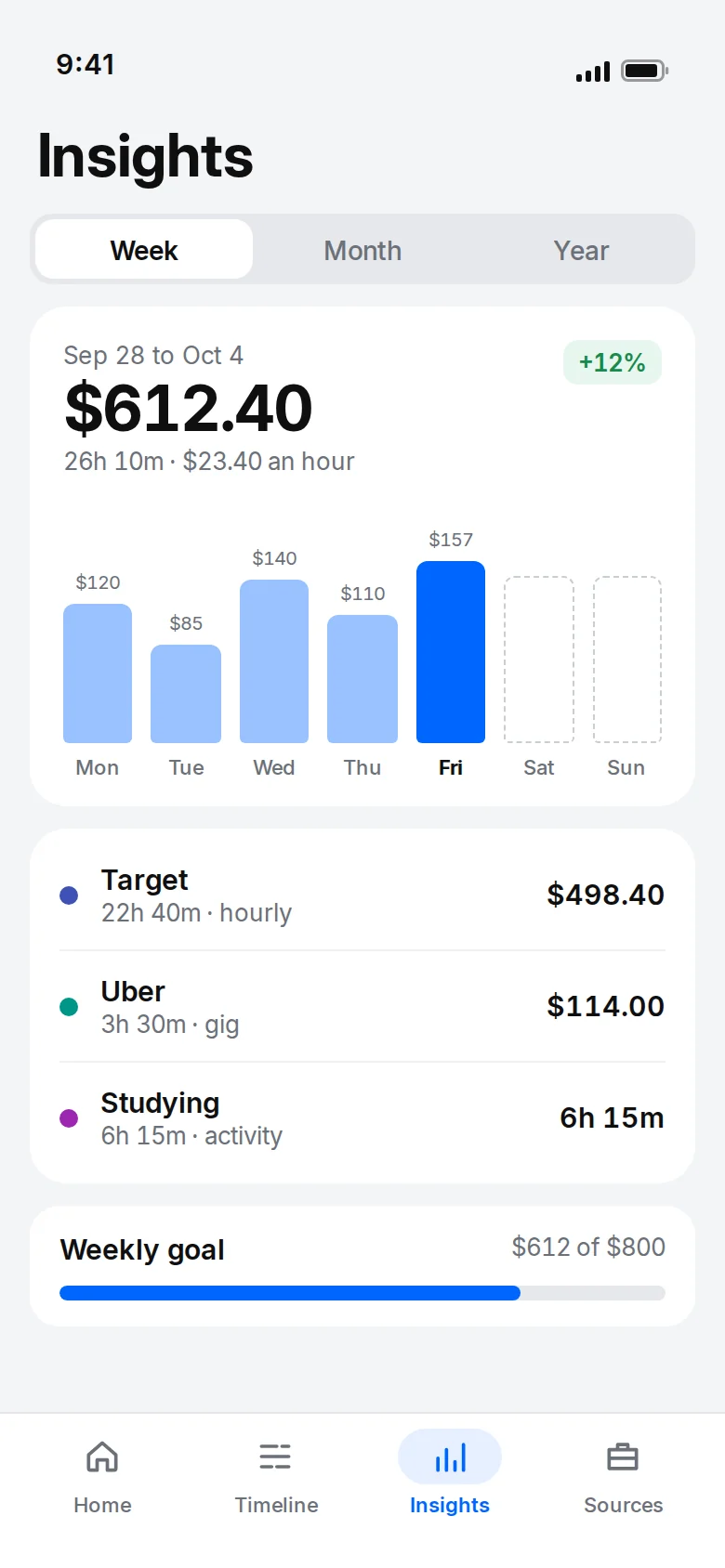
+$704.00 expected · $880.00 projected
Jibat knows your pay period. On payday, enter what you got and see at once if it matches what you worked.
Tracked $1,284.50 · paid $1,269.50 · short $15.00
Add gas, fees, your phone, or the miles you drove at the IRS rate or your own. See what you kept, not just what you earned.
$555.00 kept after $85.00 costs
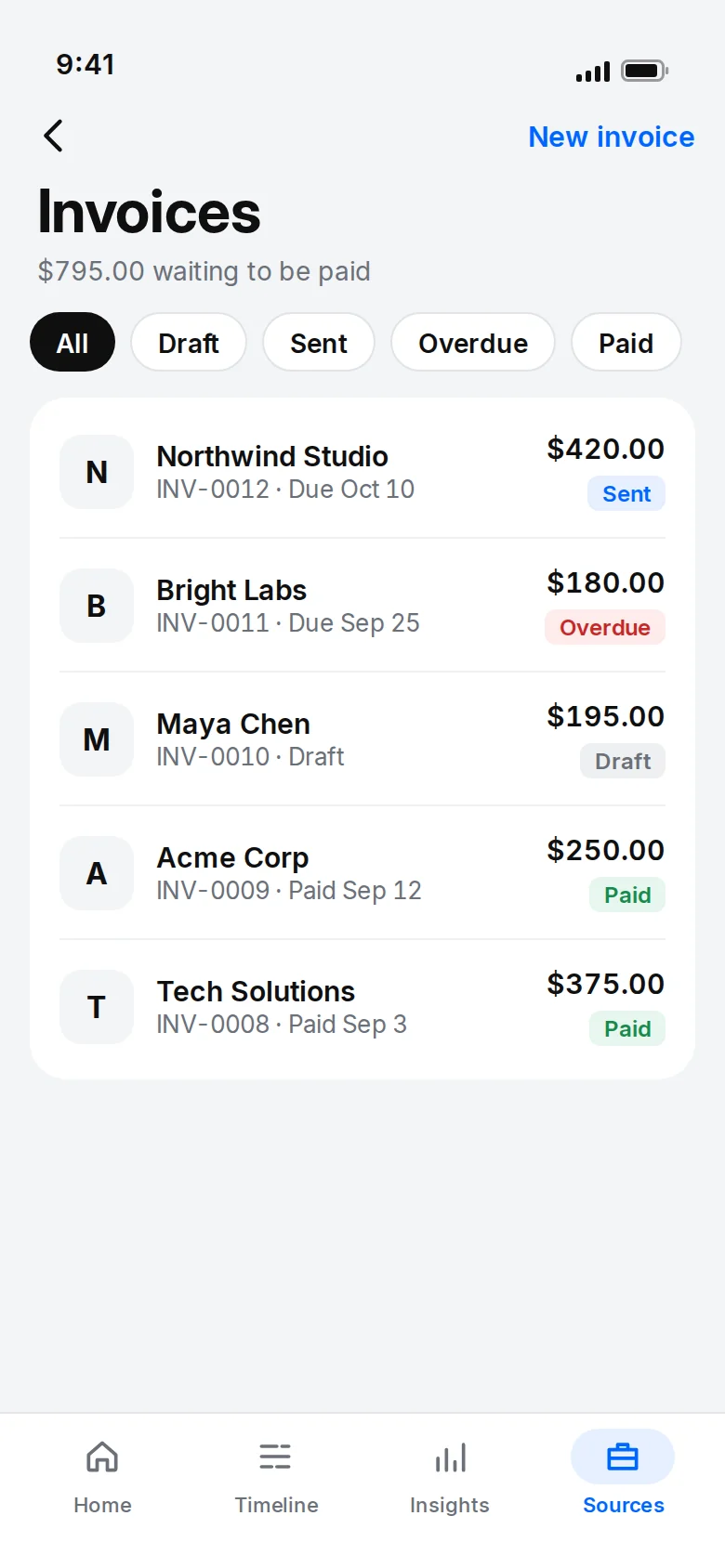
Bill a client for a project or your hours. Jibat fills in the work not billed yet; share the PDF or email it, then mark it paid.
INV-0007 · Bean There Café · $530.00
Time that isn't paid counts too: the same timer in hours, with a goal, notes and an hours report, kept apart from your pay.
6h 30m of 10 h this week
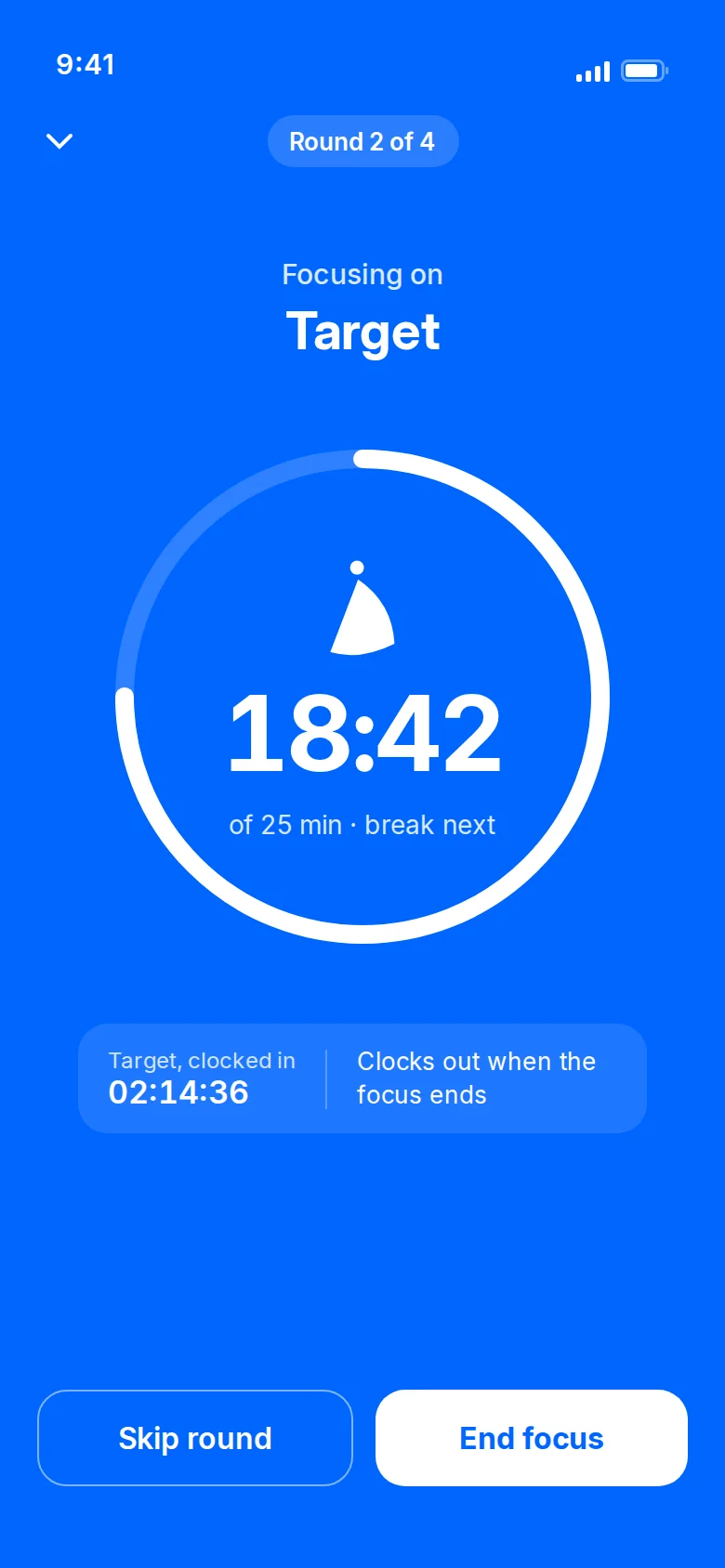
A countdown on the job or study timer that's running, with optional breaks. The screen stays on; on Android, Do Not Disturb too.
Round 2 of 4 · 18:42
Optional: a percent you pick, or US tax brackets, for jobs that don't take tax out. An estimate from your own setup, never advice.
$15.00 to set aside for tax (estimate)
Step-by-step guides, from your first shift to night differentials and paycheck checks.
Inside the app
Made for
Weekly overtime, holiday rates and the odd extra shift, all counted.
Hourly pay plus tips, late nights and call-out pay on busy weekends.
Night and weekend differentials, 12-hour shifts, double time after long days.
Payouts per day with time worked, so you see what you really make per hour.
Each job with its own rate, rules, payday and color. Run two timers at once, with a heads-up first.
Projects priced hourly, fixed or capped, with a quote before you start and an invoice when you're done.
Study hours and volunteer time next to your job, with goals and an hours report, never mixed with your pay.
Getting started
Name, hourly rate, overtime and payday. Gig work and salaries work too. Every job gets its own color on the calendar.
Start a timer when you begin, or enter a shift afterwards with its breaks. Jibat handles midnight, time zones and daylight saving.
Tap any amount to see how it was worked out. On payday, compare your paycheck with what you tracked.
Private by design
No account to create. Everything stays on your devices and in your own iCloud (iPhone and iPad) or your own Google Drive (Android), where sync and backups go. We never have a copy.
Pricing
Try Pro free for 14 days with no card, subscribe from the start, or just use Free. After a trial, keep using Free or subscribe. Your tracked earnings stay visible and exportable either way.
$0
For one job, forever.
$4.99 a month
or $29.99 a year, half the monthly price
Launch deal, until January 31, 2027: $24.99 for your first year on the yearly plan.
| Free | Pro | |
|---|---|---|
| Hourly jobs | 1 | Unlimited |
| Gig and variable income sources | 1 | Unlimited |
| Salaries | 1 | Unlimited |
| Open projects | 1 at a time | Unlimited |
| Activities (study, volunteering, workouts) | 2 | Unlimited |
| Focus mode (countdown, breaks, Do Not Disturb on Android) | No | Yes |
| Overtime, double time, holiday pay per shift | Everything | Everything |
| Automatic pay rules (Sundays, nights, holidays) | Kept, not applied | Applied to every shift |
| History | Last 90 days | Everything |
| Goals | 1 | Weekly, monthly and yearly |
| Insights | This month and where it came from | Plus six months, weekly average, pay per hour, paycheck history |
| Costs and miles | Yes | Yes, plus costs by kind and kept per hour in Insights |
| Tax set-aside (optional) | Yes | Yes |
| Invoices (PDF, share or email) | 1 a month, with "Made with Jibat" | Unlimited |
| Widgets | Small and medium | Plus large |
| Backup, transfer, CSV export | Yes | Yes |
| Sync across your devices | Yes | Yes |
| Apple Watch and Wear OS app | Yes | Yes |
Prices in US dollars; your store shows the price in your currency. Subscriptions renew until cancelled in your App Store or Google Play account. See the Refund Policy.
Questions
Yes. Turn on "I receive tips" for a job and every shift gets an Add tip button. How to
Yes, with a night differential rule: +$2.00 an hour from 10 PM to 6 AM, for example. How to
Yes. Pick a project or a job's dates; Jibat fills in the work and makes a PDF to share or email. How to
Either way works. Set a project's tax as added on top or included, with its rate: Jibat counts what's yours and invoices show the tax. How to
Yes, as an activity: hours instead of money, with a goal, notes and an hours report, kept apart from your pay. How to
Yes, at the IRS rate or your own, per trip if you like, next to what you earned. How to
No, unless you turn on arrival reminders for a job. Then your phone notices when you arrive or leave, and your location never leaves it. More
Yes. Everything works without internet, and everything stays on your devices and in your own iCloud or Google Drive. Sync catches up when you're back online. More
Yes. Turn on sync on each one, with the same iCloud account on iPhone and iPad or the same Google account on Android. It's free. More
Yes, for Apple Watch and Wear OS: clock in, pause and clock out from your wrist, even with your phone locked. More
Save a transfer file and open it on the new phone, iPhone or Android. How to
Get the app
Free to download, with 14 days of Pro included and no card needed.
Questions before you install? Write to hello@jibat.app.